» Grade Calculator


Calculate your weighted grade or find out what grade you need on your final exam. Supports percentages, points, and multiple grading scales.

Use this grade calculator to calculate a weighted current grade and the grade you need on a final exam. Choose the grading scale used by your class: percentages, points, common numeric scales, or the included configurable letter-grade preset.

Grades are normalized internally for the calculation, then shown in the scale you selected. Grade scales and letter-grade mappings can differ between schools and countries, so results are not official cross-country grade conversions. To combine course grades into a credit-weighted academic result, use the GPA Calculator.

Item or category Grade Maximum score Weight
Weighted Grade Calculator
โ€”
%
โ€”
Maximum possible overall grade
โ€”
With the final exam at the maximum grade.

How weighted grades are calculated

The calculator converts every grade to a normalized value from 0 to 1, then calculates weighted grade = ฮฃ(normalized grade ร— weight) / ฮฃ(weight). Weights do not need to add up to 100%: only the components you entered are included.

For example, 82% becomes 0.82. A score of 16.4 out of 20 also becomes 0.82. If those components have weights, the same weighted-average formula applies to both.

How to calculate the grade needed on a final

The final-grade calculator uses required final grade = (target grade โˆ’ current grade ร— (1 โˆ’ final weight)) / final weight. It performs that formula with normalized grades, then shows the result in your selected scale.

If the calculated result is below the scale minimum, your target is already secured. If it is above the maximum, the calculator shows the mathematical requirement and explains that it may not be achievable without extra credit or different institutional rules.

Grading systems

Schools and universities use different grading systems. This calculator supports percentages, point totals, selected numeric scales, a custom numeric scale, and an Aโ€“F preset. The direction of a numeric scale is part of its configuration, so a lower number can represent a better grade where that is how the scale works.

Letter-grade bands and international grading conventions vary by institution. The Aโ€“F preset is a configurable calculation scale and is not a universal or official equivalency conversion.

Grade Calculator FAQ

How do I calculate my weighted grade?

Multiply each normalized grade by its weight, add those results, and divide by the total entered weight. The calculator performs this automatically for percentages, points, numeric scales, and configured letter grades.

Do weights need to add up to 100%?

No. If your entered components total less or more than 100%, the calculator divides by the total weight you entered. It does not treat unentered coursework as a zero.

How do I calculate what I need on my final?

Enter your current grade, the final-exam weight, and the desired overall grade. The calculator solves for the final grade required to reach that target.

Can I use a 0โ€“20 grading scale?

Yes. Select the 0โ€“20 numeric scale. For example, 16.4 / 20 is normalized to 82% for the calculation and results remain displayed on the 0โ€“20 scale.

Can I use a 1โ€“5 or 1โ€“10 grading scale?

Yes. Select the numeric scale that matches your class. The included 1โ€“6 preset explicitly treats lower numbers as better; use the custom numeric scale when your institution uses another range or direction.

Can I enter points instead of percentages?

Yes. Select Points / score with maximum and enter each achieved score, its maximum score, and its weight. Each row is normalized as achieved points divided by maximum points.

How are letter grades calculated?

The Aโ€“F option uses configured normalized values and grade-band thresholds. Continuous results show the normalized score and the matching configured band, because a calculated average does not always fall exactly on a discrete letter grade.

Are grade conversions the same in every country?

No. A grade value or letter does not have one universal international equivalent. Use the selected scale as a calculation model for your class, and check your school's own policy for any official conversion.

What if I need a grade above the maximum?

The calculator does not silently cap the result. It shows the mathematical grade required and flags that it exceeds the selected scale's standard maximum.

Can grading systems differ between schools?

Yes. Boundaries, rounding, weighting, and even whether lower or higher numbers are better can differ by course or institution. Use the custom scale when an included preset does not match your rules.



Ages 2โ€“5
Free right now
Free Toddler Learning, No Ads
TeddyBase learning app for toddlers
ABC, numbers, colours, animals, time and weekdays in simple tap-and-listen lessons.
No ads No in-app purchases No data collection
Download on the App Store
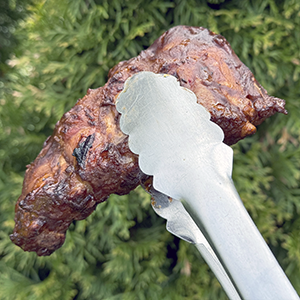
Stainless steel grill tongs holding grilled meat
BBQ essential
Keep Your Hands Away From the Heat
Long stainless-steel tongs for steaks, ribs, vegetables, and hot grill food.
14 inch reach ยท Locking handle
See it on Amazon